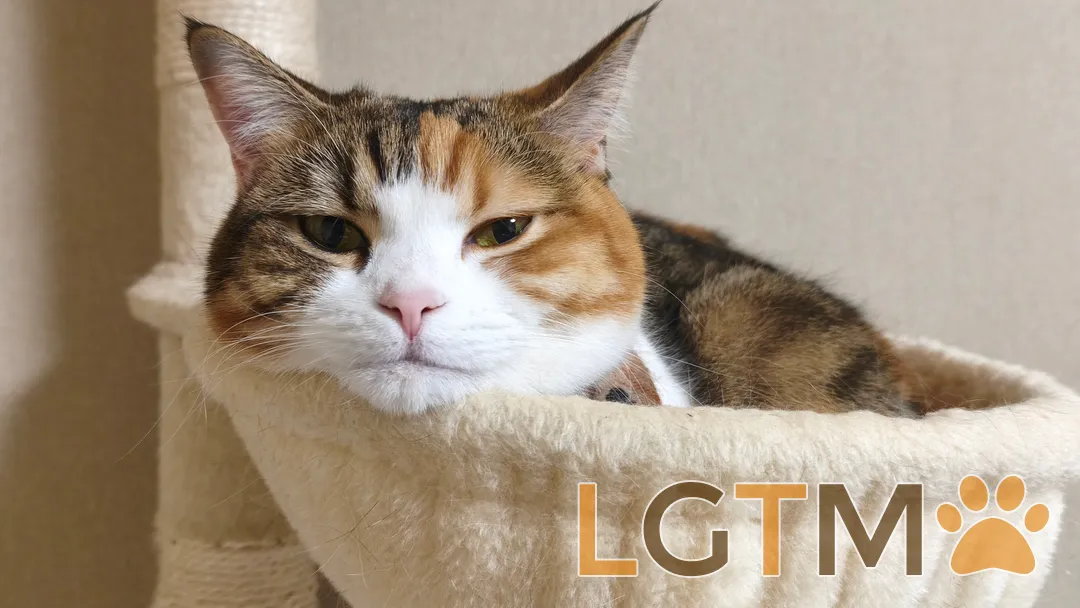
@keita_kn_web さんが、自身が運営している猫のLGTM画像サイト「LGTMeow」のGitHub Appを作っていたので触発されて作りました。
愛猫のLGTM画像サイトの仕組みについては以前書いたブログを参考にしてください。

できたもの
Pull Requestをレビューして「Approve」すると、自動的に猫の画像がコメントされます。
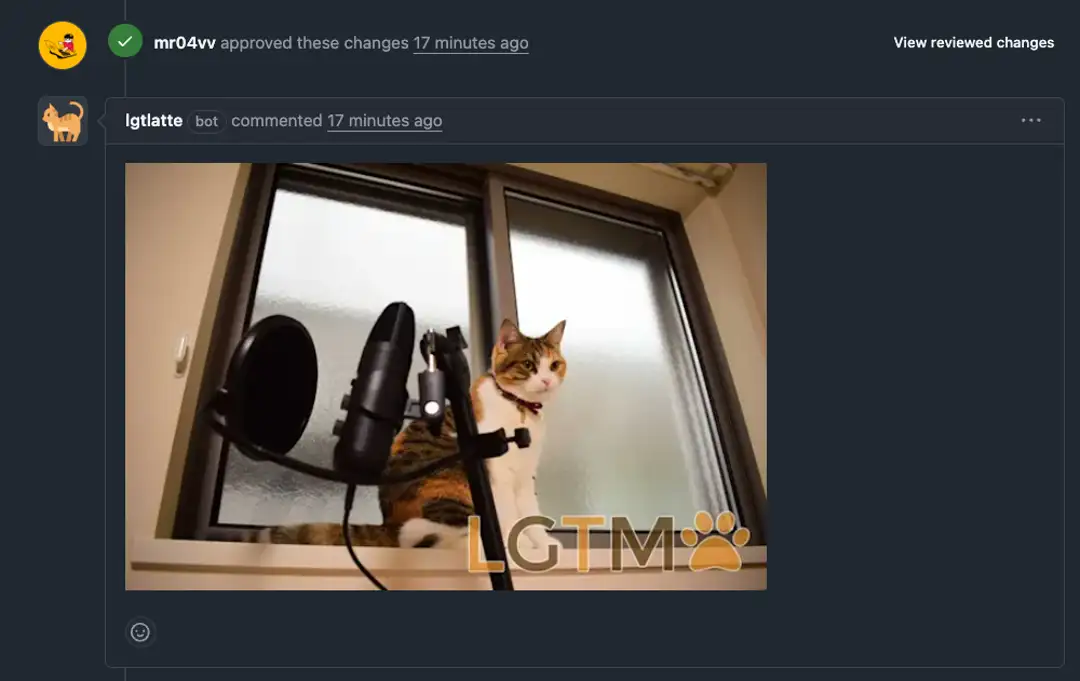
ソースコードはこちらで公開しています。
仕組み
全体の流れ
GitHub上でPRがApproveされるとGitHubがWebhookを送信し、受け取った情報(PRの番号等)をもとにAPIがランダムな画像をPRのコメントとして投稿するという仕組みです。
1. GitHub上でPRをApprove
   ↓
2. GitHubがWebhookを送信(HTTPリクエスト)
   ↓
3. Next.js APIがWebhookを受信
   ↓
4. 署名検証(本当にGitHubからか?)
   ↓
5. イベントハンドラー起動
   ↓
6. Contentful APIからランダムに画像を取得
   ↓
7. GitHub APIでPRにコメント投稿
GitHub Appの作成
GitHub App自体の作成手順は以下の通りです。
- https://github.com/settings/apps/new にアクセス
- 基本情報を入力
- Webhook URL:
https://lgtlatte.mooriii.com/api/github/webhook - Webhook secret: ランダムな文字列を生成
- Webhook URL:
- 権限設定
- Pull requests:
Read & write
- Pull requests:
- イベント購読
- Pull request reviews にチェック
- Private Keyをダウンロード
- 環境変数を設定
GITHUB_APP_IDGITHUB_APP_PRIVATE_KEYGITHUB_WEBHOOK_SECRET
詳しい手順はリポジトリのGITHUB_APP_SETUP.mdに書きました。(正しくはAIに書かせました笑)
実装
基本的に実装はClaude Codeに任せましたが、以下詳細に書いておきます。
必要なパッケージ
WebhookのリクエストがGitHubから来たものか検証するために octokit が提供しているパッケージを利用します。
pnpm add @octokit/app @octokit/webhooks @octokit/rest
pnpm add -D @octokit/webhooks-types
1. GitHub App認証の設定
GitHub Appの認証を管理するモジュールを作成します。
import { App } from "@octokit/app";

if (!process.env.GITHUB_APP_ID) {
  throw new Error("GITHUB_APP_ID is not set");
}

if (!process.env.GITHUB_APP_PRIVATE_KEY) {
  throw new Error("GITHUB_APP_PRIVATE_KEY is not set");
}

// GitHub App instance
export const app = new App({
  appId: process.env.GITHUB_APP_ID,
  privateKey: process.env.GITHUB_APP_PRIVATE_KEY.replace(/\\n/g, "\n"),
});

/**
 * Get Octokit instance for a specific installation
 */
export async function getOctokitForInstallation(installationId: number) {
  return await app.getInstallationOctokit(installationId);
}
2. ランダム画像取得
Contentful CMSからランダムにLGTM画像を1枚取得します。
import {
  AssetCollectionApiDocument,
  type AssetCollectionApiQuery,
} from "@/generated/schema";
import { apolloClient } from "@/lib/apolloClient";

export async function getRandomLgtmImage(): Promise<string | null> {
  try {
    const res = await apolloClient.query<AssetCollectionApiQuery>({
      query: AssetCollectionApiDocument,
      fetchPolicy: "no-cache",
    });

    const items = res.data.assetCollection?.items ?? [];

    if (items.length === 0) {
      return null;
    }

    // ランダムに1枚選択
    const randomIndex = Math.floor(Math.random() * items.length);
    const randomItem = items[randomIndex];

    return randomItem?.url ?? null;
  } catch (error) {
    console.error("Failed to fetch random LGTM image:", error);
    return null;
  }
}
3. GitHub APIでコメント投稿
PRにコメントを投稿するロジックです。
/repos/{owner}/{repo}/issues/{issue_number}/comments に含まれる owner repo issue_numberはwebhookのリクエストから取得しています。
import { getOctokitForInstallation } from "./app";
export interface CommentParams {
installationId: number;
owner: string;
repo: string;
issueNumber: number;
imageUrl: string;
}
export async function postLgtmComment({
installationId,
owner,
repo,
issueNumber,
imageUrl,
}: CommentParams): Promise<void> {
try {
const octokit = await getOctokitForInstallation(installationId);
// Markdownで画像を埋め込み
await octokit.request(
"POST /repos/{owner}/{repo}/issues/{issue_number}/comments",
{
owner,
repo,
issue_number: issueNumber,
body: ``,
}
);
console.log(
`Successfully posted LGTM comment to ${owner}/${repo}#${issueNumber}`
);
} catch (error) {
console.error("Failed to post LGTM comment:", error);
throw error;
}
}4. Webhookイベント処理
Approve時の処理ロジックです。
import type { PullRequestReviewEvent } from "@octokit/webhooks-types";
import { getRandomLgtmImage } from "../queries/randomImage";
import { postLgtmComment } from "./comments";

export async function handlePullRequestReview(
  payload: PullRequestReviewEvent
): Promise<void> {
  // Approveされた時のみ処理
  if (payload.action !== "submitted" || payload.review.state !== "approved") {
    console.log(
      `Skipping non-approved review: action=${payload.action}, state=${payload.review.state}`
    );
    return;
  }

  console.log(
    `Processing approved review from ${payload.review.user.login} on PR #${payload.pull_request.number}`
  );

  try {
    // ランダムにLGTM画像を取得
    const imageUrl = await getRandomLgtmImage();

    if (!imageUrl) {
      console.error("No LGTM images available");
      return;
    }

    // PRにコメント投稿
    await postLgtmComment({
      installationId: payload.installation?.id ?? 0,
      owner: payload.repository.owner.login,
      repo: payload.repository.name,
      issueNumber: payload.pull_request.number,
      imageUrl,
    });

    console.log(
      `Successfully posted LGTM image to ${payload.repository.full_name}#${payload.pull_request.number}`
    );
  } catch (error) {
    console.error("Failed to handle pull request review:", error);
    throw error;
  }
}
5. Webhook APIエンドポイント
GitHubからのWebhookを受け取るAPIです。
import { Webhooks } from "@octokit/webhooks";
import type { PullRequestReviewEvent } from "@octokit/webhooks-types";
import { NextResponse } from "next/server";
import { handlePullRequestReview } from "@/lib/github/webhooks";

if (!process.env.GITHUB_WEBHOOK_SECRET) {
  throw new Error("GITHUB_WEBHOOK_SECRET is not set");
}

const webhooks = new Webhooks({
  secret: process.env.GITHUB_WEBHOOK_SECRET,
});

// イベントハンドラーを登録
webhooks.on("pull_request_review", async ({ payload }) => {
  await handlePullRequestReview(payload as PullRequestReviewEvent);
});

export async function POST(request: Request) {
  try {
    // Webhookヘッダーから情報を取得
    const signature = request.headers.get("x-hub-signature-256");
    const id = request.headers.get("x-github-delivery");
    const event = request.headers.get("x-github-event");

    if (!signature || !id || !event) {
      console.error("Missing required webhook headers");
      return NextResponse.json(
        { error: "Missing required headers" },
        { status: 400 }
      );
    }

    const body = await request.text();

    // 署名検証とハンドラー実行
    await webhooks.verifyAndReceive({
      id,
      name: event as any,
      signature,
      payload: body,
    });

    return NextResponse.json({ success: true });
  } catch (error) {
    console.error("Webhook processing error:", error);

    if (error instanceof Error && error.message.includes("signature")) {
      return NextResponse.json(
        { error: "Invalid signature" },
        { status: 401 }
      );
    }

    return NextResponse.json(
      { error: "Internal server error" },
      { status: 500 }
    );
  }
}
まとめ
今回はGitHub Appを作って、PRがApproveされたら自動的にLGTM画像を投稿する機能を実装しました。
Webhook → 署名検証 → ハンドラー実行 → API呼び出しという流れで、意外とシンプルに実装できました。
公開してるので是非ご活用ください。ではまた。

宣伝
我が家の猫のLGTM画像サイトです。ぜひご自由に使ってください。